 Before
 After
AfterUpdate a promotion while keeping the product photo
40% OFF becomes 55% OFF. The product, hand and surrounding callouts remain outside the selected area; inspect the rebuilt badge itself before publishing.
40% OFF55% OFF
Change a headline, price or label in a finished image. Review the selected area before generating; the edit is placed back into the original image at its original dimensions.
Actual selected-area outputs from our October 2026 checks. The complete image is shown so you can inspect the surrounding design.
BeforeAfter40% OFF becomes 55% OFF. The product, hand and surrounding callouts remain outside the selected area; inspect the rebuilt badge itself before publishing.
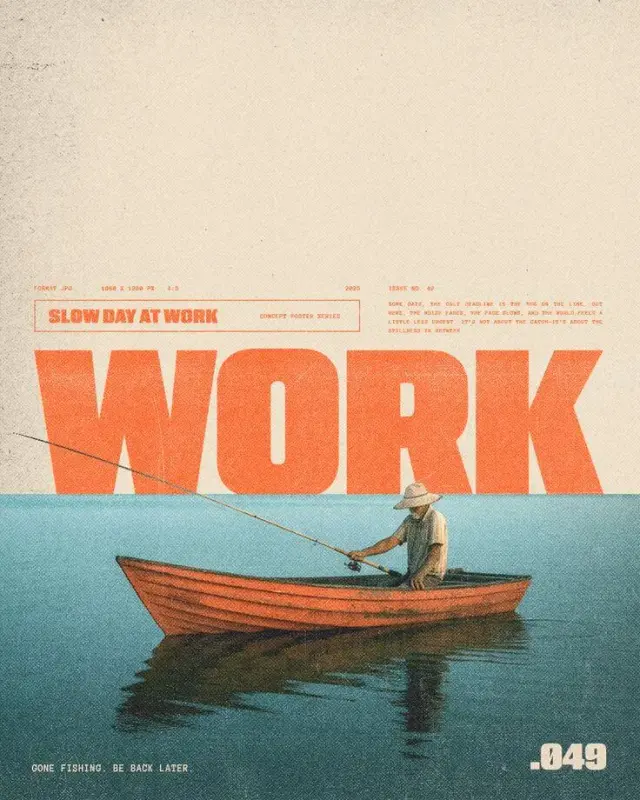 Before
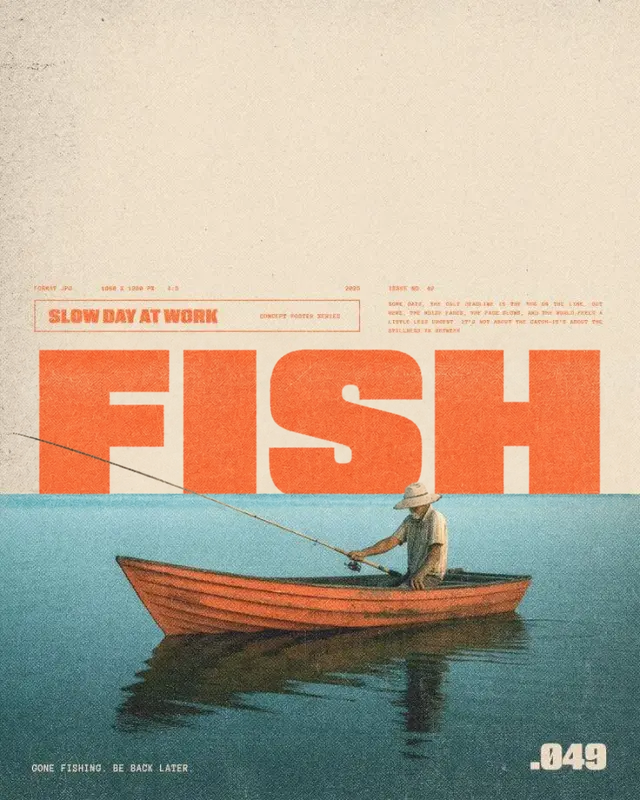 After
AfterWORK becomes FISH. The original composition is retained outside the approved rectangle. Lettering and any artwork inside the rectangle still need a close check.
The selected rectangle defines the area that may change. The generated patch is composited into the original image, leaving pixels outside that rectangle unchanged in the normalized, lossless output. Original dimensions are retained; 1K and 2K refer to editing quality, not the final canvas size.
Inside the rectangle, the model rebuilds the lettering and may also change nearby texture, shadows or lines. It cannot recover the exact background hidden behind the old letters. Keep borders and important objects outside your selection when possible, and compare the patch at full size.
This protection applies to selected-area edits. Whole-image translation can change the image more broadly; explicitly protected regions are copied from the original, but the rest still needs review.
Confirm the text match or adjust the rectangle before spending credits.
Receive a complete image at the source canvas size.
Compare lettering, patch edges and nearby details at full size.
Selected-area edits place a generated patch into a normalized copy of the original. Pixels outside the approved rectangle are retained in the lossless result. This is pixel preservation, not identical file bytes: orientation, metadata and encoding can differ.
Yes. Texture and geometry inside the rectangle may be rebuilt. A boundary crossing a frame, face or repeated pattern can leave a seam. Use a tighter area with enough room for all letters, then inspect the result.
No. Whole-image translation produces a full-image preview. You can explicitly keep detected text regions from the original, but unprotected regions may change. Use the single-area workflow for an approved phrase that needs precise control.
New accounts receive 12 starter credits, enough for two 1K text edits. Starter credits expire after 30 days; purchased credits do not expire.
Use EditTextInImage to replace or translate words while preserving the original typography.
Edit text hereWant it gone instead? Brush over unwanted content in RemoveGenie to clean up your photo.
Try RemoveGenieCreate an account for two free 1K text edits. Upload your image, enter the words and review the result.